Contributing
To contribute to dbt-contracts, follow these steps:
Setup your development environment
Ensure you have Python 3.12 or greater and uv installed on your system.
Go to the GitHub repository and fork the project by clicking Fork in the top left:
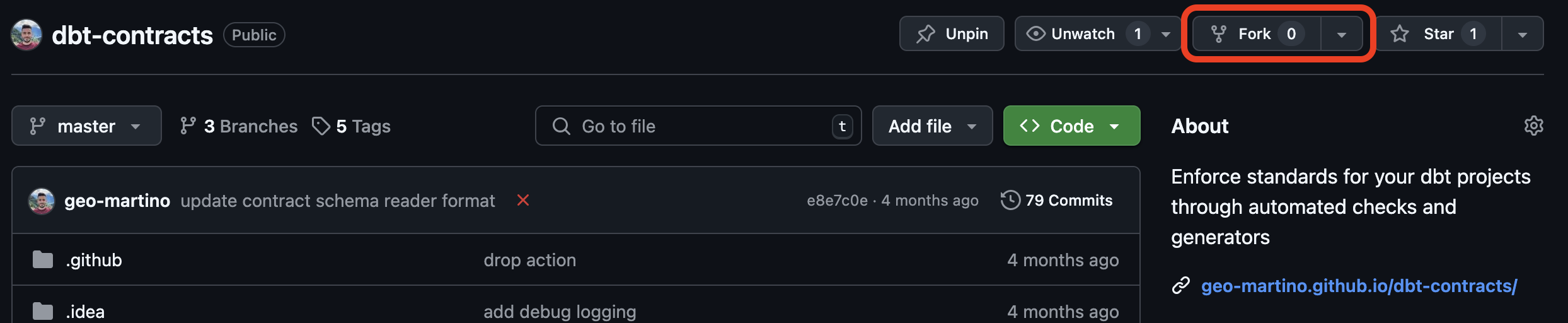
Go to the page of your GitHub account’s fork of dbt-contracts and clone the repository:
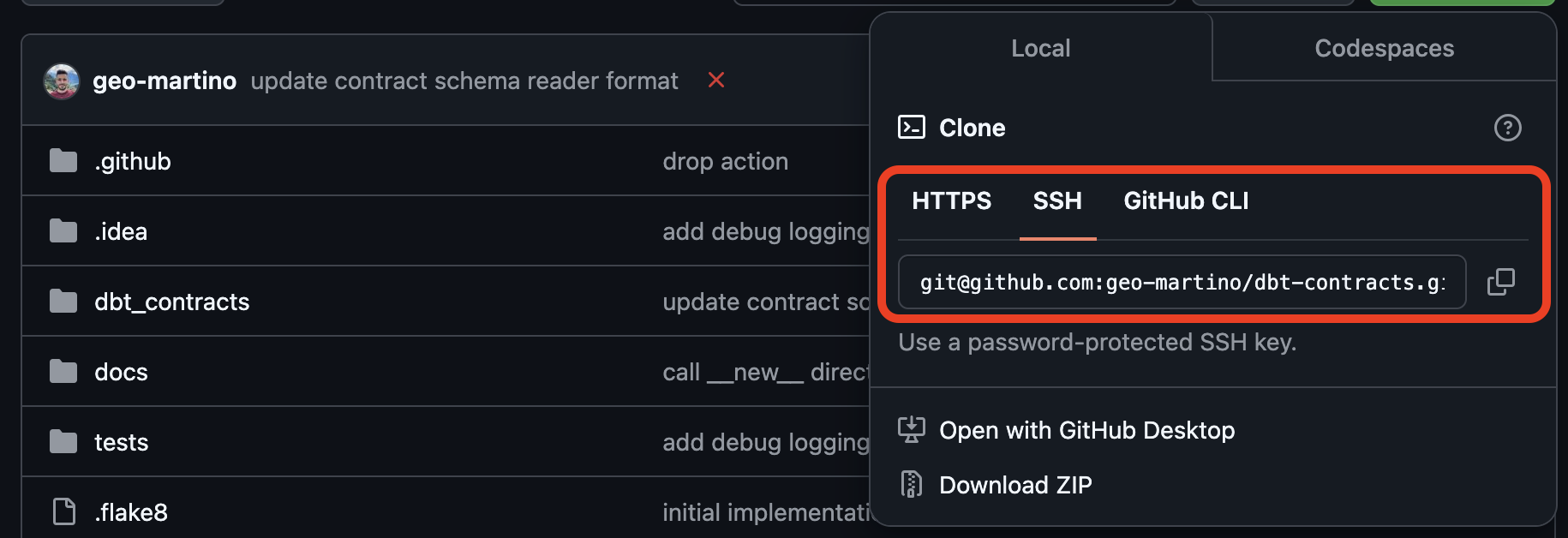
In a terminal, navigate to the directory of the cloned project and install the package along with all of its development dependencies into a virtual environment:
make installOptionally, to ensure inheritance diagrams in the documentation render correctly, install graphviz. See here for platform-specific info on how to install graphviz.
Development commands
The Makefile (or make.bat on Windows) provides the following commands for validating your changes.
Each runs through uv, so there is no need to activate the virtual environment first.
Command |
Description |
|---|---|
|
Install the package with all dependency groups. |
|
Run the tests. |
|
Check the code with ruff. |
|
Check the code with ruff and automatically fix what it can. |
|
Build the HTML documentation to |
|
Run |
|
Clean and rebuild the HTML documentation from scratch, then check all of its links. |
Run make help to list these commands along with the other Sphinx documentation targets.
Making changes and testing
Create a new branch in your local git project and commit changes to this branch as you develop.
All tests are located within ./tests.
If you make any changes to the functionality of the package, you must either modify or add new tests
for these changes.
To run all tests, or just the tests in a given file:
make test
# OR
uv run pytest path/to/test/file.py
As part of code validation, your code will be required to pass certain linting checks.
This project uses ruff to help give an indication as to the quality of your code.
For the current checks that your code will be expected to pass,
please check the [tool.ruff] config in the pyproject.toml file in the root of the project.
To run these checks locally, and optionally fix what can be fixed automatically, run:
make lint
# OR
make lint-fix
If you change the documentation or any docstrings, check the documentation still builds without warnings:
make docs
Submitting your changes for review
Ensure everything CI validates passes locally first by running
make check.Add any changes you made to the Release History.
Go to your forked repository and open a pull request for your branch.

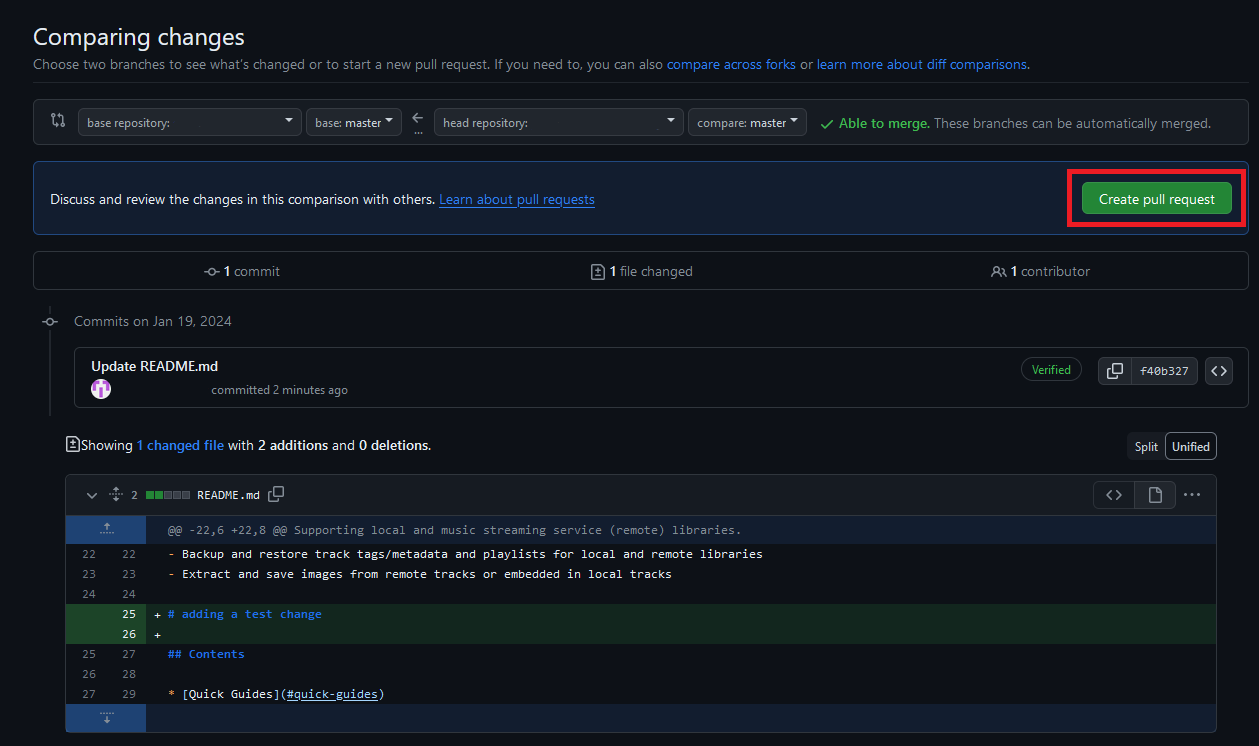
Add a title, a motivation for your changes, and the changes you have made. This can just be a copy-paste from your release history notes.
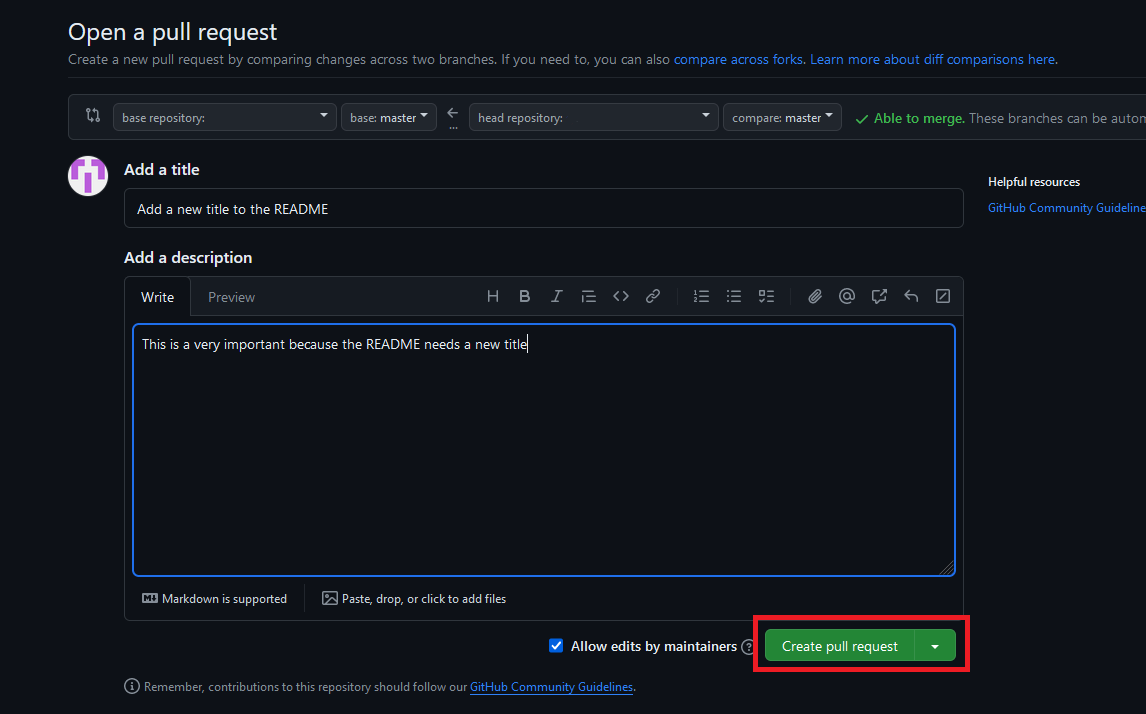
Wait for a review and make any necessary changes.
Have your changes committed 🎉